
This help file shows you how to invite a trainee using their email address. If they don't have an email address, check out add trainee via username or add trainees using a spreadsheet.
Click through to the Trainees and courses page from the Manage menu.
You'll see how many course licences you have available in each course under the Spare licenses column. To invite a trainee, click on the Invite via email option in the Options menu.
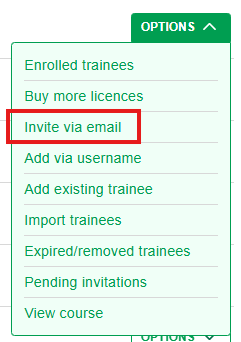
Fill in the email addresses of the trainees you would like to invite, one per line.
Choose the group or groups they belong to. If you need to add more groups, click here.
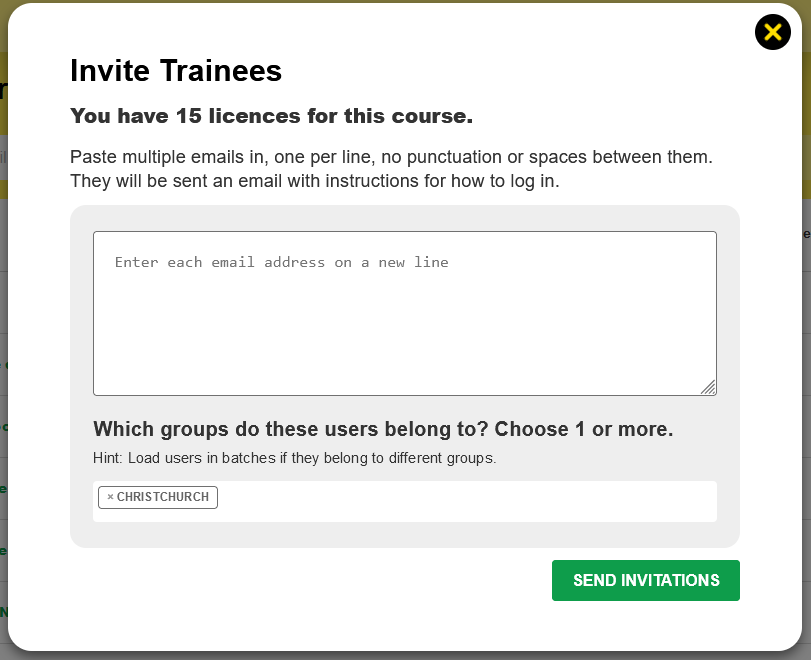
Once you click Send invitations, the number of available course licences will reduce by the number of emails you've added.
You can't invite more trainees than you have course licences available.