
Training records get created whenever a trainee finishes a course in DT. But, you can also add training records for training that wasn't completed in DT, even for trainees that don't have a profile in DT.
For example, let's say you have a new trainee who did a forklift operator's certificate with TR Driver Training, but hasn't yet done any training on DT. You can add their certificate with its expiry date. Click here to find out how.
90 days and 30 days before the course is due to be refreshed, you'll receive an email letting you know. Easy.
If you have another team member who has done some internal training for one of your machines, you can upload this, too, and put an expiry date, the person who did the training, how many hours they spent training and so on.
This means you can keep all your training records in one place - no more having to manage multiple spreadsheets. You can download and filter all your records, too.
Some courses will enable you to add a course straight to the cart that is pre-booked for the trainee. Click on Add Course.

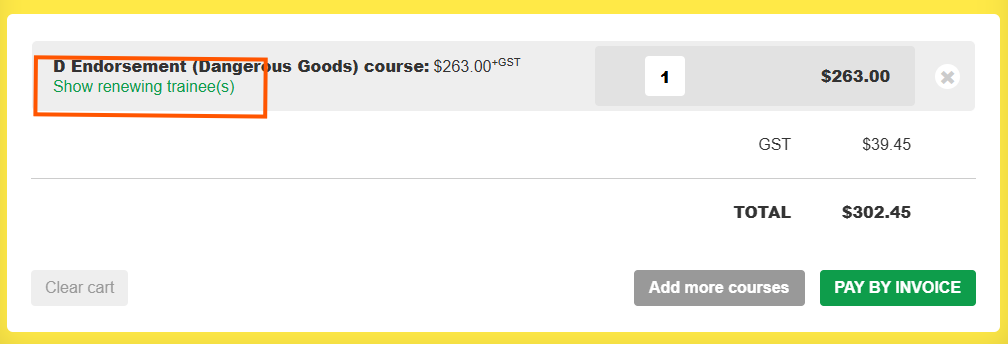
Click on show renewing trainee(s) to see who you are renewing for. You can pay for the course and it will automatically assign the course to the trainee and will notify them via email (assuming they have an email address as part of their profile).
Assign managers to help you manage groups of trainees and their training records.
Mark training records as reviewed if they don't need to be actioned. This means you won't be emailed any reminders.
