You can easily change or reset a password. If you're a manager, you must have been given permission by the main account holder.
Find the trainee by searching for them.
From the Options menu, click on Edit trainee profile
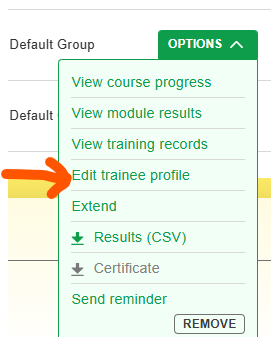
You can now change the groups the trainee belongs to, their name and their password.
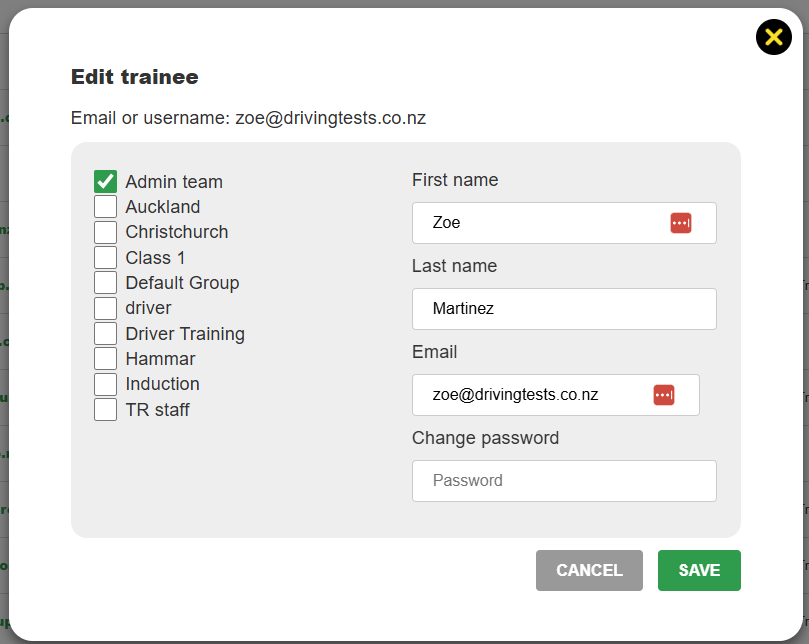
Type the new password and click Save. Editing a password doesn't inform the trainee - you'll need to notify them. A trainee can also edit their own password by logging in and clicking on Hi [name] > Profile.
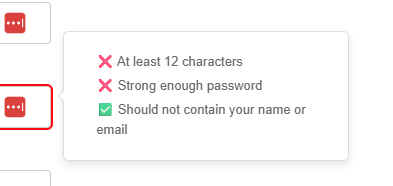
Password strength must be sufficient. It must be at least 12 characters without common phrases. E.g. password1234 won't cut it. The easiest way to meet the requirement is to use two or three words. For example, these passwords would be fine:
Dark Lion Fork
Shampoo Kitten
June is Winter
Most of the time, it will tell you if it's not strong enough